« Blog Home

Archive for the ‘Automatic Views’ Category

The Challenge of Getting Full Control Over Your ClearCase ClearQuest Deployment

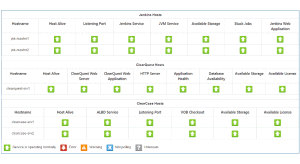
ALM Vitality dashboard

We at ALMtoolbox spend a great portion of our time talking and understanding our customer’s pains. One of the most painful issues ClearCase & ClearQuest administrators raise is that they cannot control all of the parts of their environment if they are not part of the IT team. As a result the administrator may not […]

Read more »

Questions & Answers About ClearCase Automatic Views

Yesterday we delivered an interesting webcast with Peter Hack, the ClearCase architect. Attendees have asked questions about the new functionality, and we collected all Q&A as provided by Peter: Question #1: (1) Will ClearCase Dynamic views become redundant when the “Automatic Views” are deployed? (2) How soon will happen and at which version? (3) Can […]

Read more »

Upcoming ClearCase Webcasts and New Add-on Tools

We have organized two webcasts this month about great features in ClearCase – and you can join them at no charge! Webinar: Introducing Automatic Views with Peter Hack, the ClearCase architect. Mr. Hack will introduce an important new feature in ClearCase, “Automatic Views”. This is a new kind of a view, similar to dynamic views […]

Read more »

New ClearCase webcast: Introducing Automatic Views

Next week we are hosting a special guest who will introduce a new significant feature in ClearCase. Our guest is Peter Hack, the ClearCase architect, and he’ll demonstrate the new automatic views in ClearCase. Briefly, this is a new kind of a view, quite similar to dynamic views that access files directly from the servers’ […]

Read more »

    * Full Name

    * Work Email

    * Are you using any AI tools today? What tools?

    Your information will be securely sent to and stored in Google Sheets for the purpose of processing your form submission.

      * Full Name

      * Work Email

      Are you using any SCA solution? Which one?

      Your information will be securely sent to and stored in Google Sheets for the purpose of processing your form submission.

        * Full Name

        * Work Email

        * Are you using OpenProject?

        Do you have any questions you'd like to ask before the webinar?

        Your information will be securely sent to and stored in Google Sheets for the purpose of processing your form submission.

          * Full Name

          * Work Email

          * Are you using any Secrets Management solution? Which one?

          Your information will be securely sent to and stored in Google Sheets for the purpose of processing your form submission.