USA / Canada 866-503-1471
International +972-722-405-222
Docker, Docker Team, and Docker Business
Docker is a leading containerization platform that lets developers and organizations build, share, and run applications in isolated, lightweight environments.
It streamlines the entire software delivery process, from code to production, ensuring reliability and efficiency across different teams and environments.
For enterprises and organizations,
"Docker Business" brings additional value through advanced security features like SSO, image access management, role -based access control
and vulnerability scanning,
ensuring compliance across diverse environments.
Scalable orchestration and governance capabilities allow centralized management of
multiple teams and clusters, giving IT leaders the visibility and control necessary to deploy, monitor, and secure applications at global scale.
Docker provides the following:
- Docker Desktop: All in one app to build, run, and share containerized apps on Mac, Windows and Linux
- Docker Engine + Kubernetes: Docker Desktop includes a local Kubernetes cluster and CLI integration to build, run, and test Kubernetes workloads alongside Docker
- Docker Hub: Cloud registry to store, manage, scan, and share container images with teams and CI/CD
- Hardened Docker Desktop: Enterprise controls for Docker Desktop: enforce settings, restrict registry/image access, and enhance container isolation on developer machines
- Hardened images: Minimal, distroless Docker‑maintained images with continuous patching and FIPS/STIG‑aligned options to reduce vulnerabilities and simplify compliance
- Docker Scout: Supply chain security platform providing SBOM -based image analysis, vulnerability insights, and policy enforcement across Docker Hub, Desktop, and CLI
- Docker Build Cloud: Managed cloud builders with remote cache accelerate BuildKit builds for local development and CI, without managing infrastructure.
- Docker Debug: CLI command launching a temporary toolbox container to inspect, edit, and troubleshoot running containers and slim images
- Testcontainers Cloud: Runs Testcontainers‑based integration tests in the cloud, offloading containers and enabling scalable parallelism for CI and local development
- Single Sign-On (SSO)
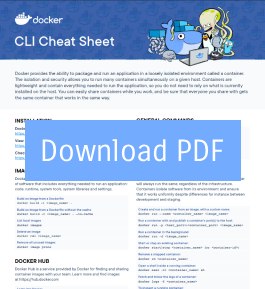
Download Docker's Cheat Sheet
Watch Docker Desktop Overview
Docker's Benefits
Docker simplifies software delivery by allowing developers to build an application once and deploy it anywhere. It enhances collaboration, improves productivity, and cuts down on complexity throughout the DevOps lifecycle.- Enhanced productivity: Docker speeds up development cycles by enabling faster builds, automated testing, and frictionless deployment34. Developers can iterate quickly and ship features faster.
- Consistency across environments: Docker eliminates "it works on my machine" problems by using immutable containers that run identically in development, test, and production37.
- Improved scalability: Docker supports horizontal scaling, integrates natively with Kubernetes, and ensures dynamic resource allocation for growing workloads.
- Strengthened security: Features like container isolation, image access control, vulnerability scanning, and hardened environmentsminimize risk while maintaining flexibility.
- Enterprise readiness: Docker Business delivers compliance, governance, and performance visibility through audit logs, SSO/SCIM, and centralized policy management, enabling secure, enterprise-grade container operations.
How We Can Help You



ALM Toolbox company was selected by Docker as a "Preferred Partner". We have experts that can help you with the following:
- Plan a new implementation and setting up new environments
- Dockerize environments and help you containerize your development
- We can help you with purchasing and managing licenses
- Implement integration with CI/CD tools such as Jenkins, GitHub Actions, GitLab CI and similar tools
- Customizations and add-ons development
- Docker training
- Harden images and make them more secure
- Apply DevSecOps, AppSec and DevOps best practices
News & Related Articles
Features and Pricing
| Feature \ Product Edition | Personal |
Team
Get a Quote |
Business
Get a Quote |
|---|---|---|---|
| Customer Support & SLA | |||
| Download updates |  |
|
|
| Email support | - | |
|
|
Priority support Get the support you need. Highly-skilled support engineers are available to help you with all of your support needs.
|
- | 4-hour response time | 4-hour response time |
| 24/7 Emergency support | - | 30-minute response time | 30-minute response time |
| General | |||
| Maximum number of Users | 1 | 100 | Unlimited |
| Docker Desktop | |||
| Docker Engine | |
|
|
| Containerd | |
|
|
| Docker CLI | |
|
|
| Docker GUI | |
|
|
| Docker Compose | |
|
|
| Docker Build | |
|
|
| Docker Kubernetes | |
|
|
| Docker Desktop Extensions | |
|
|
| Volume Exports | |
|
|
|
Synchronized File Shares
Fast and reliable file sharing between host and container.
|
- | |
|
| Docker Debug | - | |
|
| Hardened Docker Desktop | - | - | |
| VDI support | - | - | |
| Docker Private Extensions Marketplace | - | - | |
| Admin | |||
| Personal access tokens | Yes (fair use) | ||
| Included Organization Access Tokens | - | 10 | 100 |
| Number of Docker Hub organizations | - | 1 | Unlimited |
| Add users in bulk | - | |
|
| Docker Hub Role-based access control | - | |
|
| Audit logs | - | |
|
| Docker Desktop Usage Insight Dashboard | - | - | |
| Domain Audit | - | - | |
| Account Hierarchy | - | - | |
| Single Sign-On (SSO) | - | - | |
| System for Cross-domain Identity Management (SCIM) | - | - | |
| Enhanced Container Isolation Management | - | - | |
| Settings Management | - | - | |
| Registry Access Management | - | - | |
| Image Access Management | - | - | |
| MSI Installer | - | - | |
| Docker Hub | |||
| Trusted Content Catalog | |
|
|
| Webhooks | |
|
|
| Docker Scout Health Scores | - | |
|
| Public Repos – Number of Repos | Unlimited | ||
| Public Repos – Storage | Unlimited | ||
| Public and Private Repos – pull Rate Limit | 100 pulls/hr per user | Unlimited | Unlimited |
| Private Repos – Number of Repos | 1 | Unlimited | Unlimited |
| Docker Scout | |||
| Health Scores on Docker Hub | - | |
|
| Local Vulnerability Analysis | |
|
|
| Image Remediation | |
|
|
| SDLC Integrations | - | Unlimited | Unlimited |
| Policy Library and Evaluation | - | Standard | Standard |
| Alerting and Notifications | - | Standard | Standard |
| Vulnerability Reporting | - | |
|
| CVE Suppression and Exception | - | |
|
| API Integrations | - | |
|
| Included Docker Scout Enabled Repositories | 1 | Unlimited | Unlimited |
| Docker Build Cloud | |||
| Maximum parallel builds | - | Unlimited | Unlimited |
| Size of Cloud Builders | - | Standard | Standard |
| Included cache (GB) | - | 100 | 200 |
| Included build minutes | Free Trial | 500 | 1,500 |
| Additional build minutes | - | 500 minutes: $25 1,000 minutes: $50 5,000 minutes: $250 10,000 minutes: $500 20,000 minutes: $1,000 Expired at the end of subscription period | |
| Testcontainers Cloud by Docker | |||
| Testcontainers Cloud Dashboard | Yes | ||
| Max Concurrent Workers Per User (Desktop) | 1 | 4 | |
| Max Concurrent Workers Per CI Account (CI) | 1 | ||
| Included Cloud Runtime Minutes per month for both CI and Desktop per subscription | Free Trial | 500 | 1,500 |
| Additional Cloud Runtime Minutes for both CI and Desktop per subscription | - | $3 per 100 minutes (Expired at the end of subscription period) | |
| On-demand Cloud Runtime Minutes for both CI and Desktop per subscription | - | $4 per 100 minutes | |
| Standard Support | |||
| Community forums | |
|
|
| Community Slack | - | |
|
| Technical support response SLA | - | 2 Business days | 1 Business day |
| Support Availability | - | 24x5 | 24x5 |
| Security & Compliance | |||
| SOC 2 Type 2 attestation | - | |
|
| ISO 27001 certification | - | |
|
| Third Party Penetration Tests | - | |
|
| External email address to report security concerns | |
|
|
| Pricing and available licenses | Free |
Subscription
Get a Quote |
Subscription
Get a Quote |
Need help deciding? Email us or use the chatter below
Docker Training
We provide a variety of Docker training programs for private groups or as a public class. We can do this remotely or on-site.
We provide the following classes:
- Docker for end-users (2 days). Click to watch syllabus.
- Docker for administrators (1 day). Click to watch syllabus.
- GitLab CI/CD (1 day). Click to watch syllabus.
- Kubernetes training
We can train in the following languages: English, Russian, Lithuanian and Hebrew.
Contact us for quotes or for any questions: training@almtoolbox.com
Testimonials and Customers Stories
Docker Build Cloud helped us cut build times by 90%. Before, we were stuck dealing with QEMU emulation, which slowed everything down, but now, it’s a night-and-day difference"
 Neal Patel, Director of Engineering at Siimpl
Docker enables us to balance internal team preferences with management requirements. The team had always wanted to move to Git, but they also wanted a user-friendly interface to help their workflows - and GitLab provides it all!"
 Keith Harris, Associate Director and Software Architect , 360i
Docker is a great private repository. I like its wiki, web hooks, intuitive interface and GitLab CI continuous integration feature"
 Sean Francis Ballais, Freelance Programmer


