This is a minor release that supplements version 3.1.0 which we released in December 2013.
- New: Integration with Microsoft Visual Studio is now packaged in a Visual Annotate installation kit, for your convenience. Integration works for Visual Studio 2013, 2012, 2010 and 2008. To learn more click here.
- New: Silent installation for ClearCase end-users, to benefit those with floating licenses for Visual Annotate. Now you can install the tool and define the settings of the license server in one command-line! This enables you to deploy the fully automated and customized tool for many users.
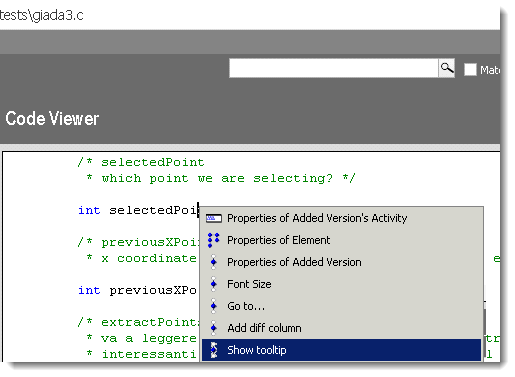
- New: you can turn on/off the information tooltip directly from within the code’s context-menu
Fixed Bugs:
- We fixed a bug that occurred when re-selecting code lines to color by another date, while there were some lines that should not be colored again (but they were still colored).
- There were a few situations in which code lines were colored twice. This fix improves application’s response and loading time.
- There were some situations in which comments that were placed in the middle of a code line in Java, C and C#, caused the whole line to be colored as a comment (in green).
- Reserved words were mistakenly colored in new ‘ClearCase Activity’ column.
Subscribed users can download a patch here: https://www.almtoolbox.com/download.php?did=14&signin
A Trial Version is available here: https://www.almtoolbox.com/download.php?did=6&signin
To get a quote, click here: